What Is Azure API Management (APIM)? A Beginner’s Guide (2026)
What is Azure API Management (APIM): A Beginner’s Guide
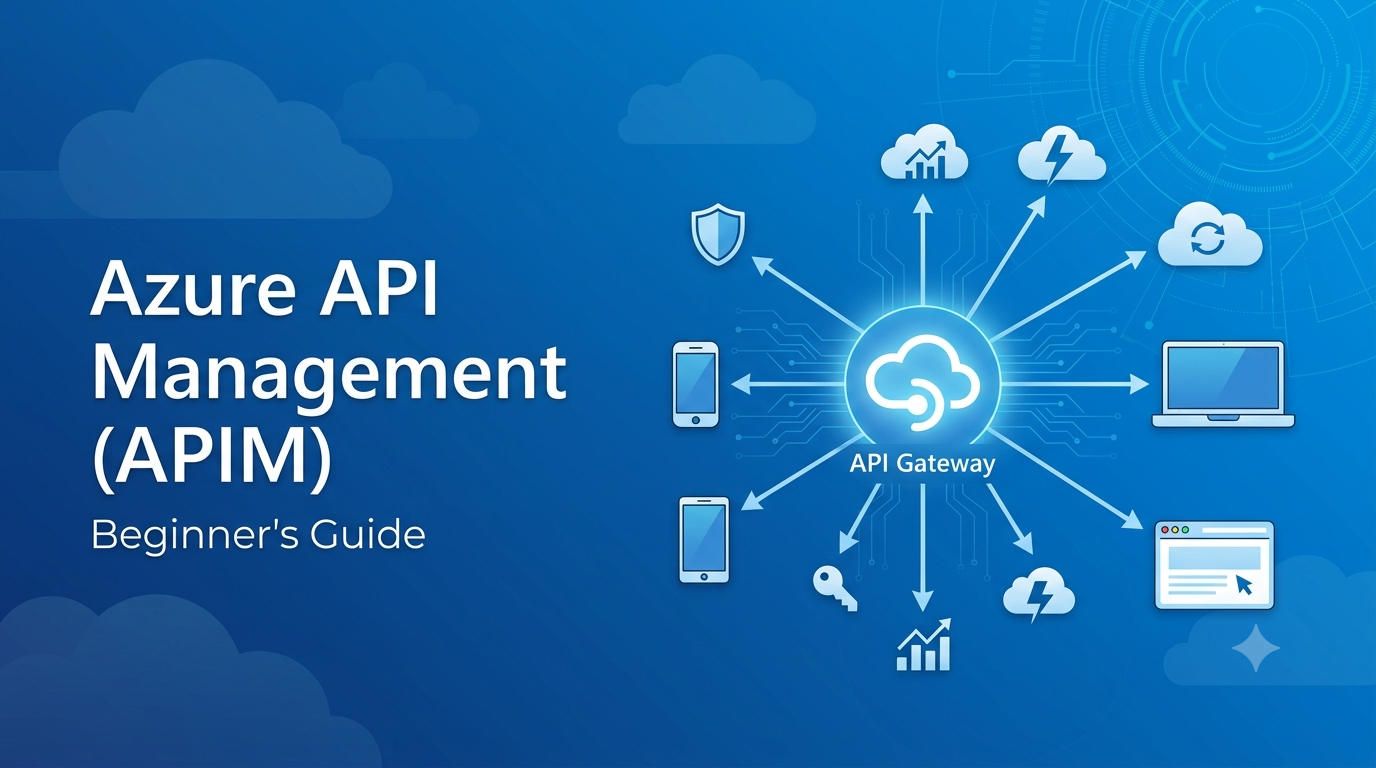
Azure API Management (APIM) is a fully managed Azure service that acts as a gateway between API consumers and backend services. It allows organizations to securely publish, protect, monitor, transform, and govern APIs from a centralized platform.
In this guide, you’ll learn what this platform offers, why enterprise teams rely on it, its key capabilities, and how it helps organizations build secure, scalable web services.
What Is Azure API Management (APIM)?
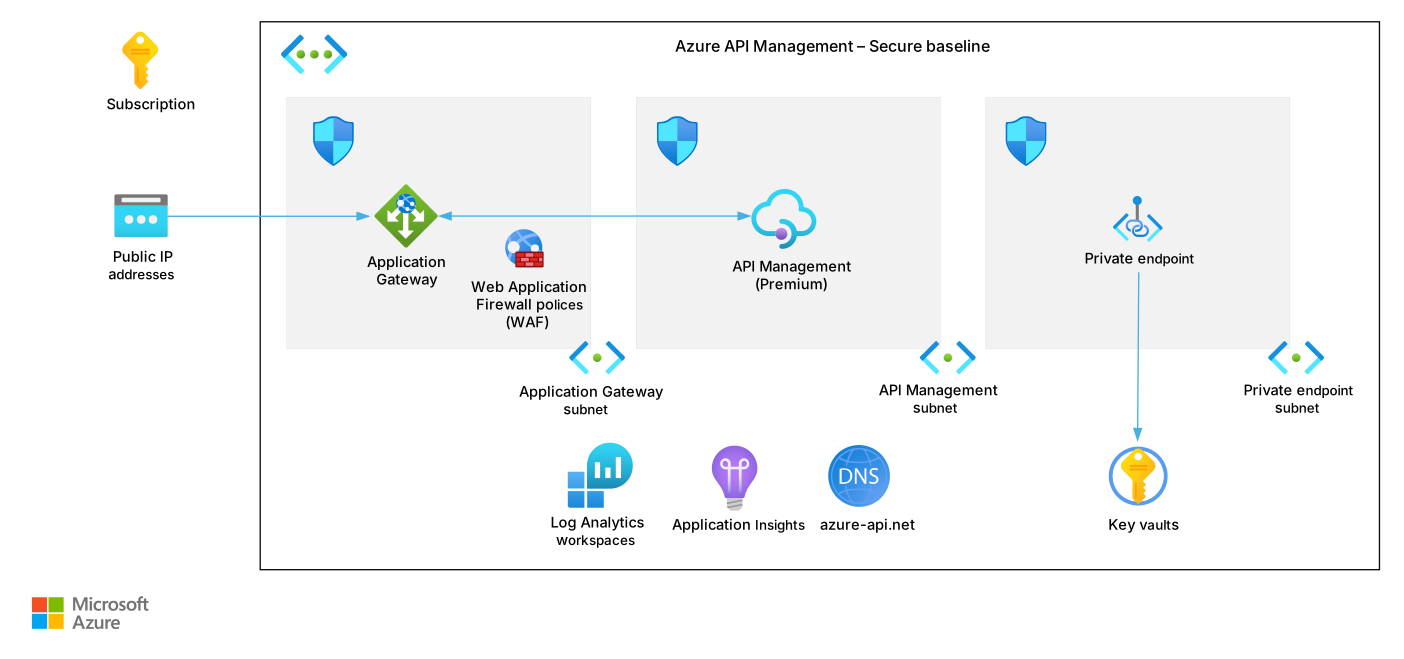
Azure API Management (APIM) is a fully managed Platform as a Service (PaaS) provided by Microsoft Azure that enables organizations to publish, secure, monitor, transform, and govern APIs from a single interface.
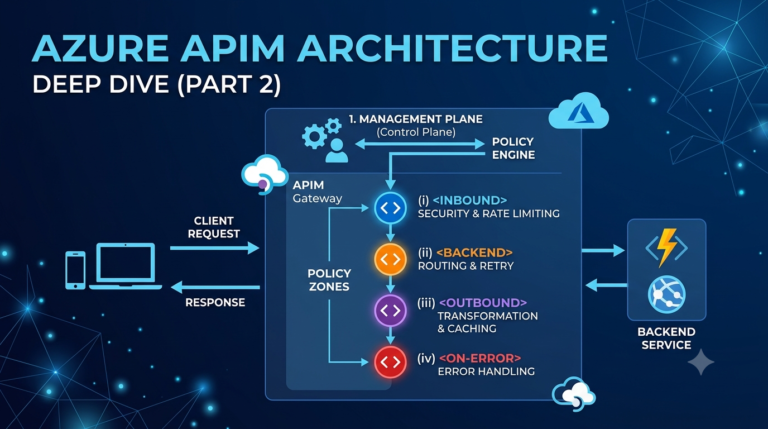
Instead of allowing web or mobile apps to communicate directly with backend services, APIM acts as a central gateway between API consumers and your backend services. It processes every inbound request before forwarding it, allowing you to apply security, authentication, rate limiting, caching, and APIM policy transformations without modifying a single line of backend application code.
Simply put, the gateway works as a central control point for your entire API ecosystem.
Why Do You Need an API Gateway?
Imagine your company operates a mobile app, a web app, and several third-party partner integrations accessing the same backend APIs.
Without an API management layer, you would need to implement security, authentication, logging, and throttling separately inside every individual service code repository. This dramatically increases development overhead and creates maintenance headaches.
APIM solves these challenges by consolidating API governance. Developers can enforce security policies and traffic limits from a single control plane while ensuring every incoming request follows corporate rules.
Key Features & Capabilities
The platform offers a comprehensive toolset designed to simplify API lifecycle management:
- API Gateway: Securely routes incoming traffic to backend endpoints and enforces security policies.
- Authentication & Authorization: Integrates with Microsoft Entra ID (Azure AD), OAuth 2.0, OpenID Connect, and subscription keys.
- Rate Limiting & Quotas: Prevents server overload and protects endpoints against abuse or DDoS attacks.
- Response Caching: Accelerates response times and reduces stress on backend infrastructure.
- Request & Response Transformation: Modifies headers, URLs, or XML-to-JSON payloads on the fly.
- Developer Portal: Automatically generates interactive documentation and testing tools for internal or external developers.
- Observability & Monitoring: Tracks traffic, errors, and performance via Azure Monitor and Application Insights.
Real-World Use Case
Consider an e-commerce platform serving a website, mobile app, and external delivery partners. All three entities require access to inventory, order, and user APIs.
Rather than exposing backend microservices directly, all incoming traffic flows through the gateway. The system validates JSON Web Tokens (JWT), checks subscription keys, applies rate limits, logs metrics, and then routes clean requests to backend endpoints. This setup maximizes security, simplifies maintenance, and guarantees consistent runtime behavior across all clients.
Core Benefits for Developers
Adopting Azure API Management provides distinct technical advantages:
- Enhances Security: Centralizes authentication, authorization, and IP filtering in one layer.
- Saves Development Time: Shifts cross-cutting concerns (like throttling and logging) into reusable policies.
- Boosts Application Performance: Uses localized caching to serve frequent requests faster.
- Streamlines Onboarding: Gives third-party developers self-service access via an interactive portal.
- Supports Enterprise Scale: Effortlessly manages traffic spikes across microservices and cloud architectures.
Best Practices for Getting Started
To get the most out of your deployment, follow these proven practices:
- Use JWT Authentication: Secure public and internal endpoints with token-based access.
- Integrate Key Vault: Store API keys, secrets, and connection strings inside Azure Key Vault using Named Values.
- Set Up Traffic Guardrails: Apply rate limits to public-facing endpoints to guard against misuse. Code block snippet:
Code block snippet:
<inbound>
    <!-- Limit calls to 100 per minute per IP address -->
    <rate-limit-by-key calls="100"
                       renewal-period="60"
                       counter-key="@(context.Request.IpAddress)" />
</inbound>- Enable Telemetry: Connect Application Insights early to detect latency issues and trace failed calls.
- Plan for API Versioning: Implement revision and versioning strategies early so updates don’t break existing applications.
Conclusion
Azure API Management goes beyond simple traffic routing. It is a complete governance ecosystem designed to secure, monitor, and scale modern web services. By centralizing runtime policies, telemetry, and developer onboarding, it reduces operational friction while keeping your cloud infrastructure resilient.
What’s Next in This Series?
Ready to take a deeper dive? In the next installment of our series, check out our guide on Azure API Management Architecture and Core Components, where we break down the API Gateway, Management Plane, Developer Portal, and internal policy engine in detail.